Home > Factory Productivity and Scheduling > Advanced Topics > Advanced Job Topics > Dispatching Jobs > Automatic Dispatch
Automatic Dispatch
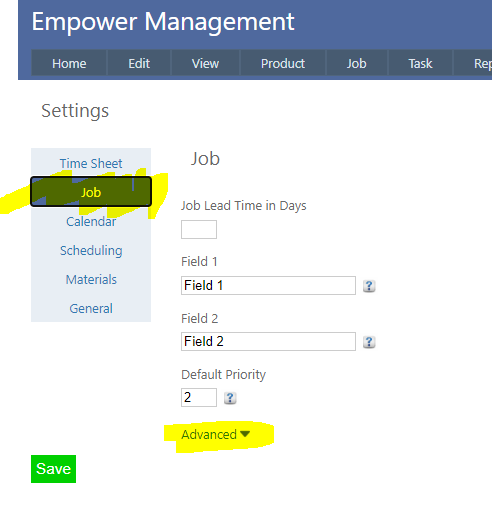
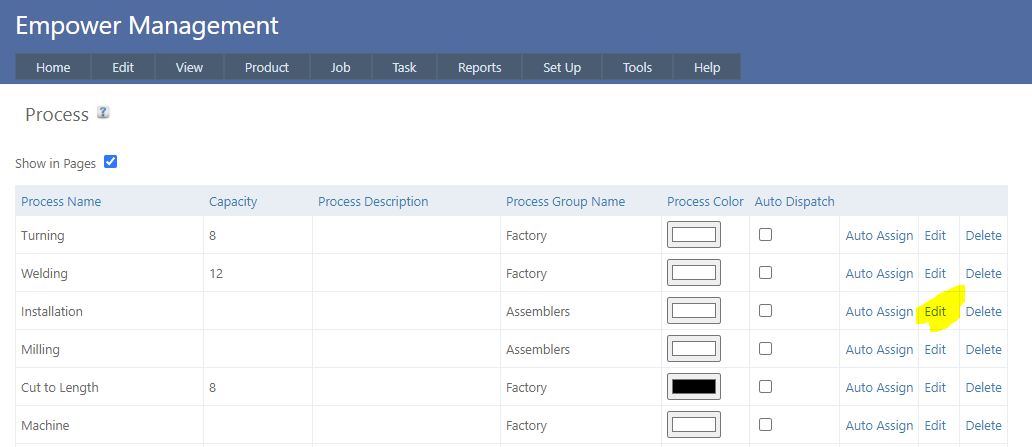
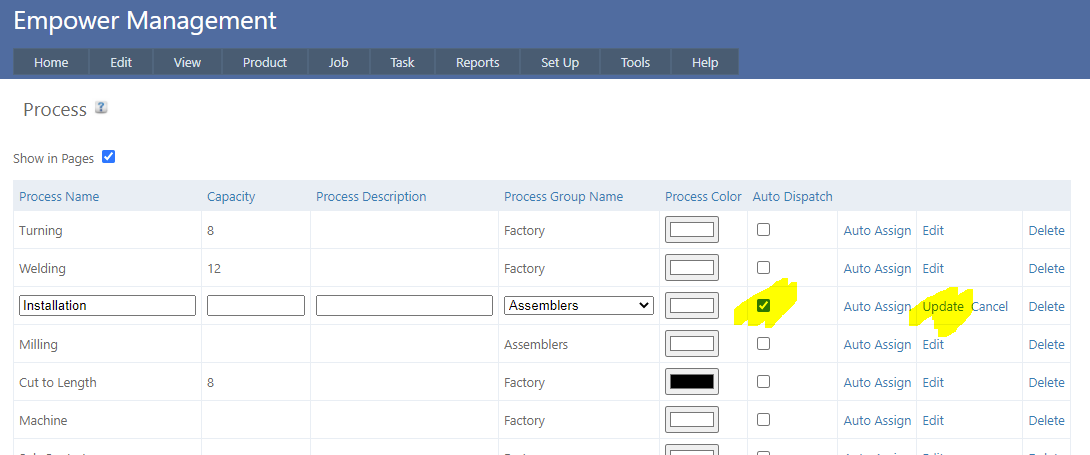
It is possible to automatically Dispatch a Job once a selected Process has been Finished. For example if you selected a Process called say Installation, then once Installation is Finished the Job will be automatically Dispatched. To set this up, 1. From the Main Management Menu select Tools > Settings and select the Job Tab (highlighted below). 2. Clicking on Advanced displays a number of additional advanced settings. Ensure that Allow Auto Dispatch is set to On (as displayed below). Note that only an Administrator can alter this setting. 3. Select Set Up > Process - you should see a page similar to 4. Click on the Edit button next to the Process you wish to add Auto Dispatch to. Tick the Auto Dispatch check box (see highlighted above). Then click Update. This will automatically Dispatch a Job whenever that Process is Finished.
See also