Checklists Triggers are events that once they occur, display a Checklist.
Checklist Triggers are made up of two things
An Event - for example clicking on green start button to start a Task, or clicking on a red button to finish a Task, etc.
A Process.
So for example clicking a green start button for a Process called Installation could display a Checklist that is required to be filled out regarding installation.
To add a Checklist Trigger
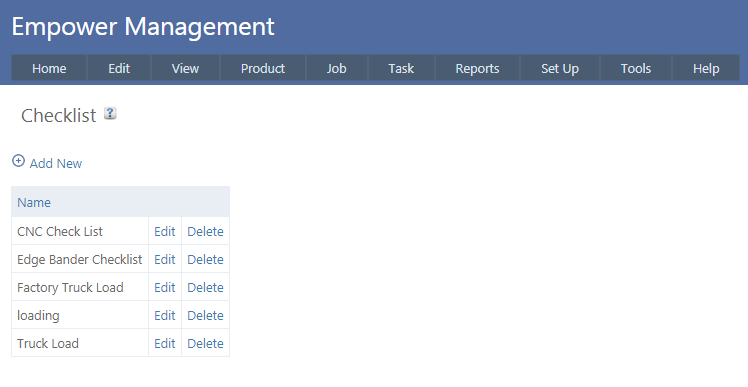
1. From the Time Track Main Menu select Set Up > Advanced Set Up > Checklist. You should see a page similar to
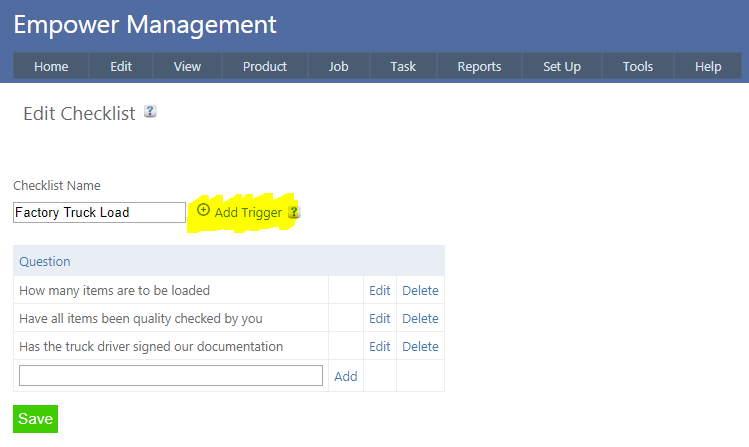
2. Click on Edit next to the Checklist you wish to add a Checklist Trigger to. You should see a page similar to
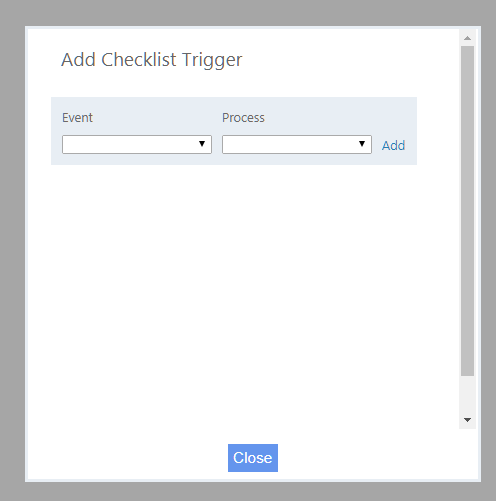
3. Click on Add Trigger (highlighted above) - you should see a page similar to
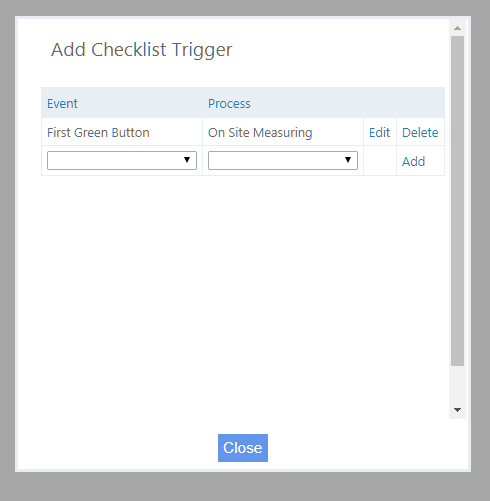
4. From this page you can add Events and Processes - for example
This will ensure that first time a Green button is clicked for the Process On Site Measuring, the Checklist will display.
You can have an unlimited number of Checklist Triggers for any particular Checklist.