Home > Factory Productivity and Scheduling > Advanced Topics > Sharing Jobs with Your Customers > Sharing Jobs from Job > Undispatched Jobs
Sharing Jobs from Job > Undispatched Jobs
To share a Job from the Job > Undispatched page
1. From the Main Menu go to Job > Undispatched and click on Share Job, for the Job you want to share
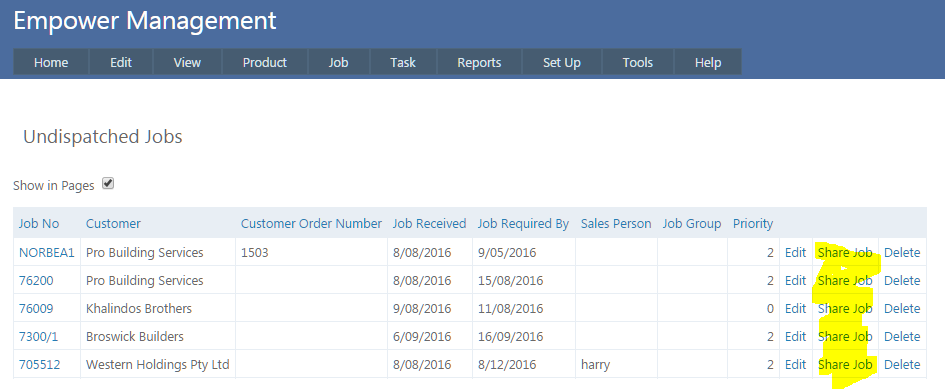
2. You should see a page similar to
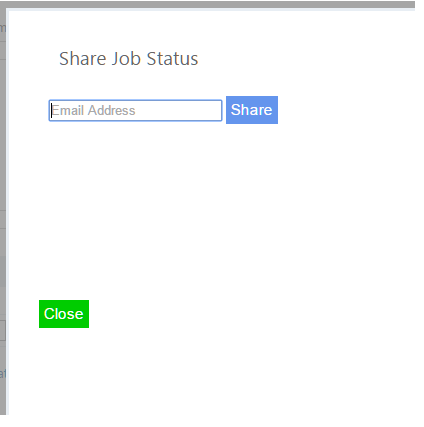
Type in an email address to send the Shared Job Status to.
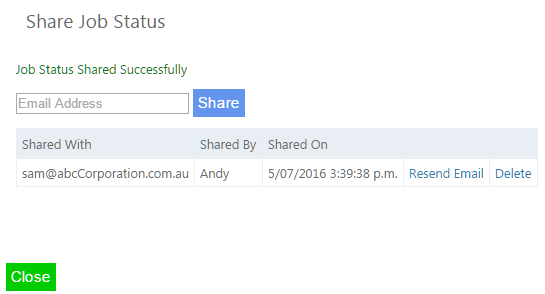
As many emails addresses as you require can be added, by either adding a second email and clicking the Share button, or alternatively adding multiple emails with a comma between them, eg sam@uvw.com, fred@xyz.com,
To resend an email click on Resend Email.
To remove the sharing, click on the Delete button.
Each recipient will receive an email similar to the following
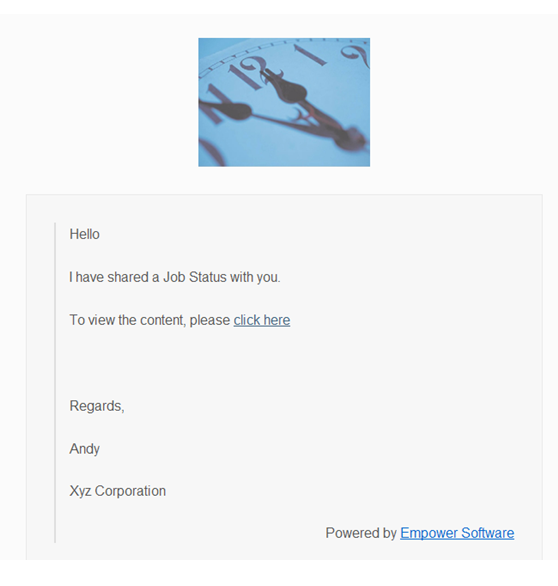
3. When your Customer clicks on the click here they will see something similar to
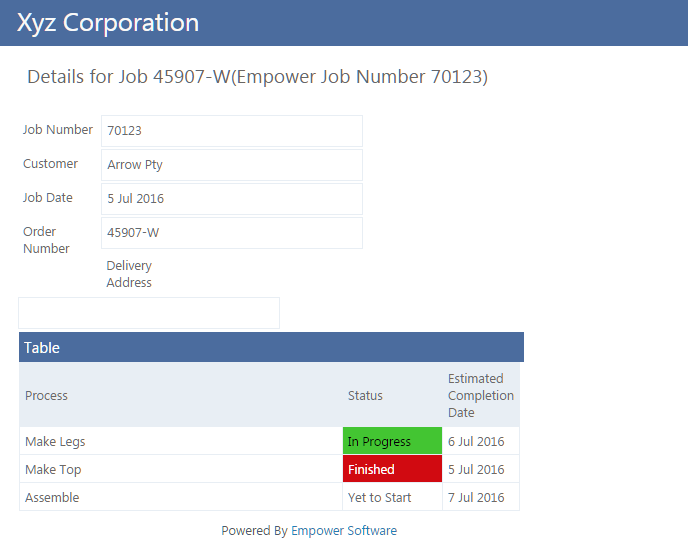
The view your Customer has is live into the database, so if, for example the Make legs is finished and a few seconds later your Customer clicks on the link, it will show the Make legs as Finished. Similarly if the Schedule is rerun and gives a different Completion date that will also be updated.
Rework Jobs and Rework Tasks will not be visible to your Customer.
See also
Scheduling
Rework
See also
|