Home > Factory Productivity and Scheduling > Reports > Report Hot Links
Report Hot Links
Embedded within many Empower reports are Report Hot Links - these are colored blue, and when clicked on provide further information.
As an example running the report at Reports > Tasks > Finished Tasks > All Finished Tasks will show a report similar to
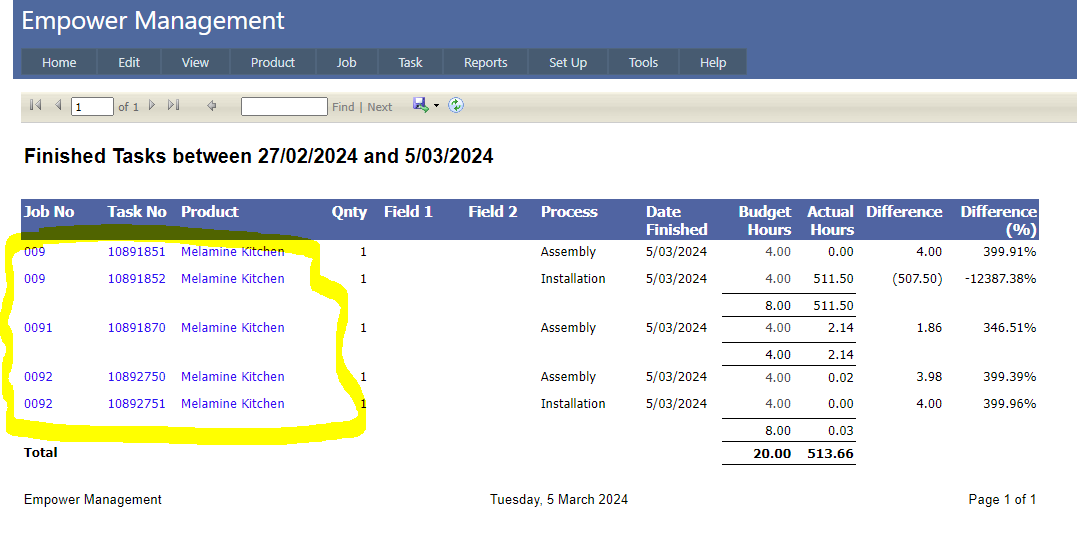
Note the Job Number, Task Number and Product Name are all colored blue - see highlighted above.
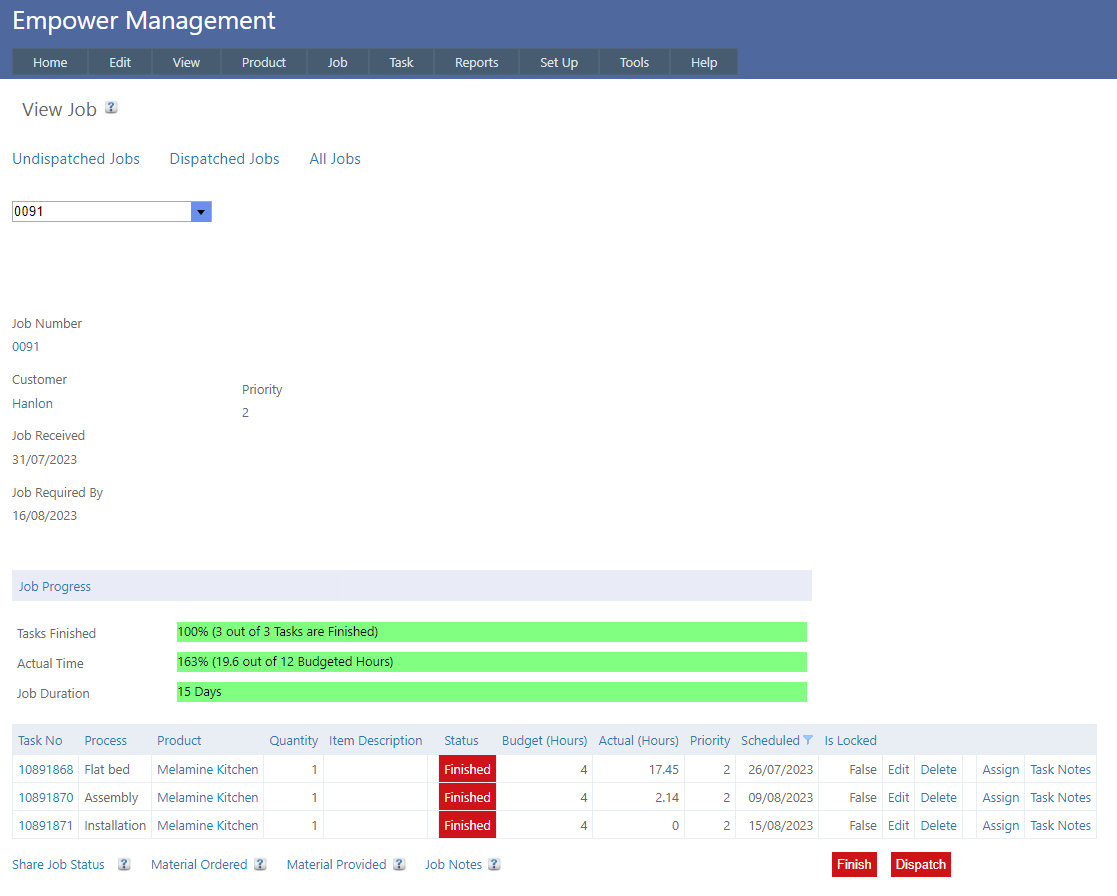
Clicking on one of these will provide more information - eg clicking on 0091 in the Job No column will open the View Job Page for Job 0091 (see below as an example).
See also
|