| | Home > Factory Productivity and Scheduling > Advanced Topics > Advanced Scheduling Topics > Locking Tasks > Lock / Unlock All Tasks
Lock / Unlock All Tasks
It is possible to lock a Scheduled Task so that the Task's Scheduled date will not be changed when
In addition to the ways to Lock or Unlock a Task described in Lock Tasks and Lock All Tasks In a Job, it is possible to Lock or Unlock all Scheduled Tasks between two dates.
To do this, from the Main Management Menu select Task > Lock and Unlock Scheduled Tasks.
You should see a page similar to
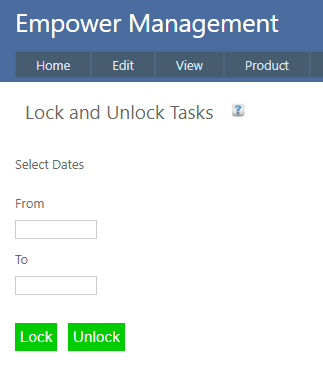
Enter in a From and To date and click on Lock or Unlock.
This will Lock or Unlock all Scheduled Tasks between and including the two dates.
So, for example if the dates are selected from the 15th to the 17th, those Tasks Scheduled on the 15th, 16th and 17th will all be selected.
See also
|
|