Home > Quoting > Advanced Topics > Attachments > Attachment Types > Dropbox
Dropbox
Dropbox is a low cost (free for individuals for up to 2 Gb of storage) cloud based file sharing and storage solution that allows for files to be saved to the cloud.
For more information see Dropbox.com.
Dropbox is unaffiliated with Empower and, as such, Empower neither guarantees the security of, nor the availability of, any files stored in Dropbox.
Before using Dropbox, Empower recommends you read and understand both the Dropbox Terms Of Service and Dropbox Privacy Policy.
To use Dropbox to store Attachments in Empower you will need a Dropbox account.
If you already have a Dropbox account you will need to know your Dropbox user name and password - note that this is a different from the Username and Password you use to log in to Empower.
If you do not have a Dropbox account you will need to sign up for one.
To sign up for a Dropbox account see Dropbox.com/plans, select a plan and follow the sign up process to receive your Dropbox user name and password.
Once you have a Dropbox user name and password you will need to connect to Dropbox.
To do this
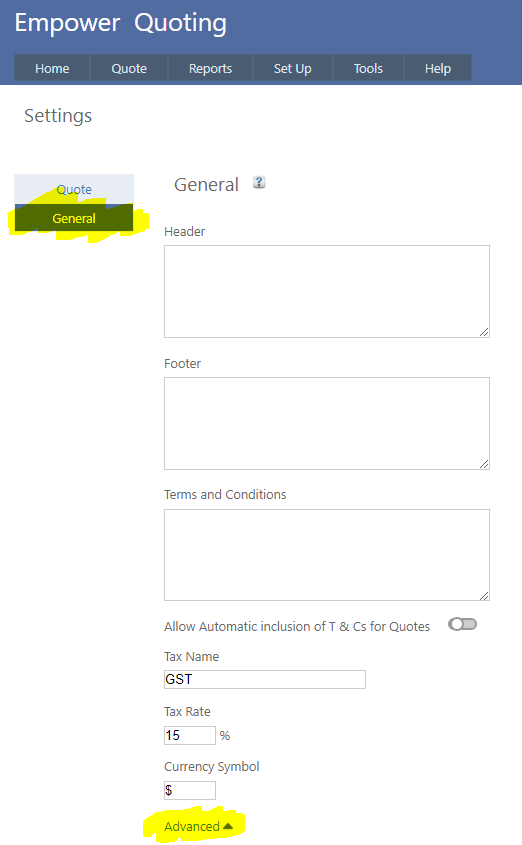
1. From the Main Menu, select Tools > Settings - then click on the General Tab and then on Advanced (highlighted below)
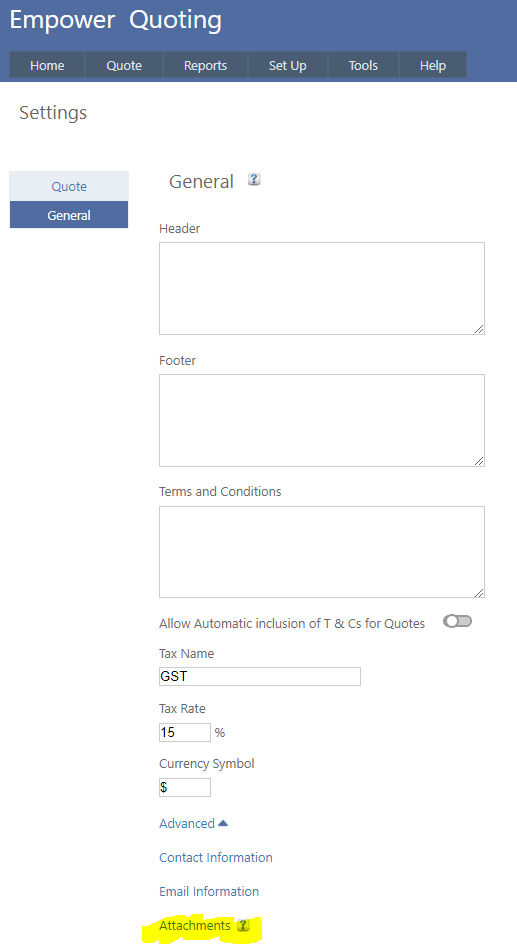
2. Then click on Attachments (see highlighted below)
3. Once you have done this you should see something similar to
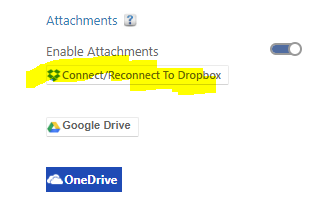
4. Click on the Connect/Reconnect To Dropbox button (highlighted above)
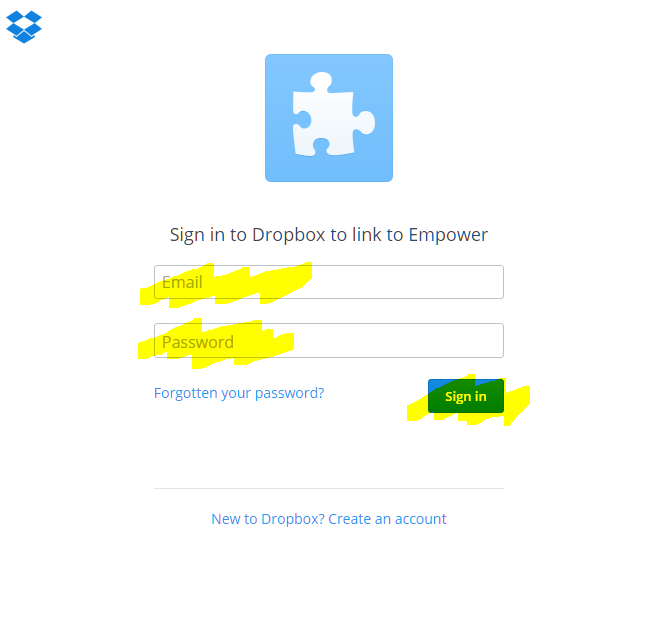
5. If you are not logged in to Dropbox you should enter your Dropbox username and password and click on the Sign in button (highlighted below)
6. Once you have done this you should see a page similar to
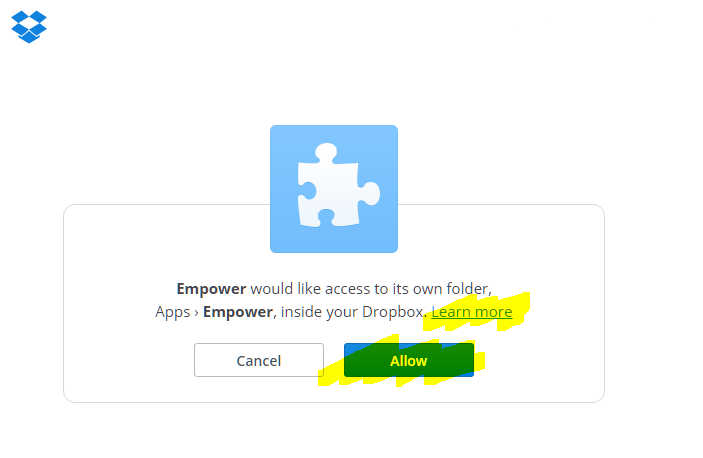
7. Clicking on the Allow button (highlighted above) allows access to your Dropbox files from within Empower Quoting. To find out more about what this means click on Learn more (highlighted above).
See also
|