Home > Factory Productivity and Scheduling > Managing Time > Big Screen TVs
Big Screen TVs
Some Empower Customers have big screen smart TVs or large display units in conspicuous places in the factory.
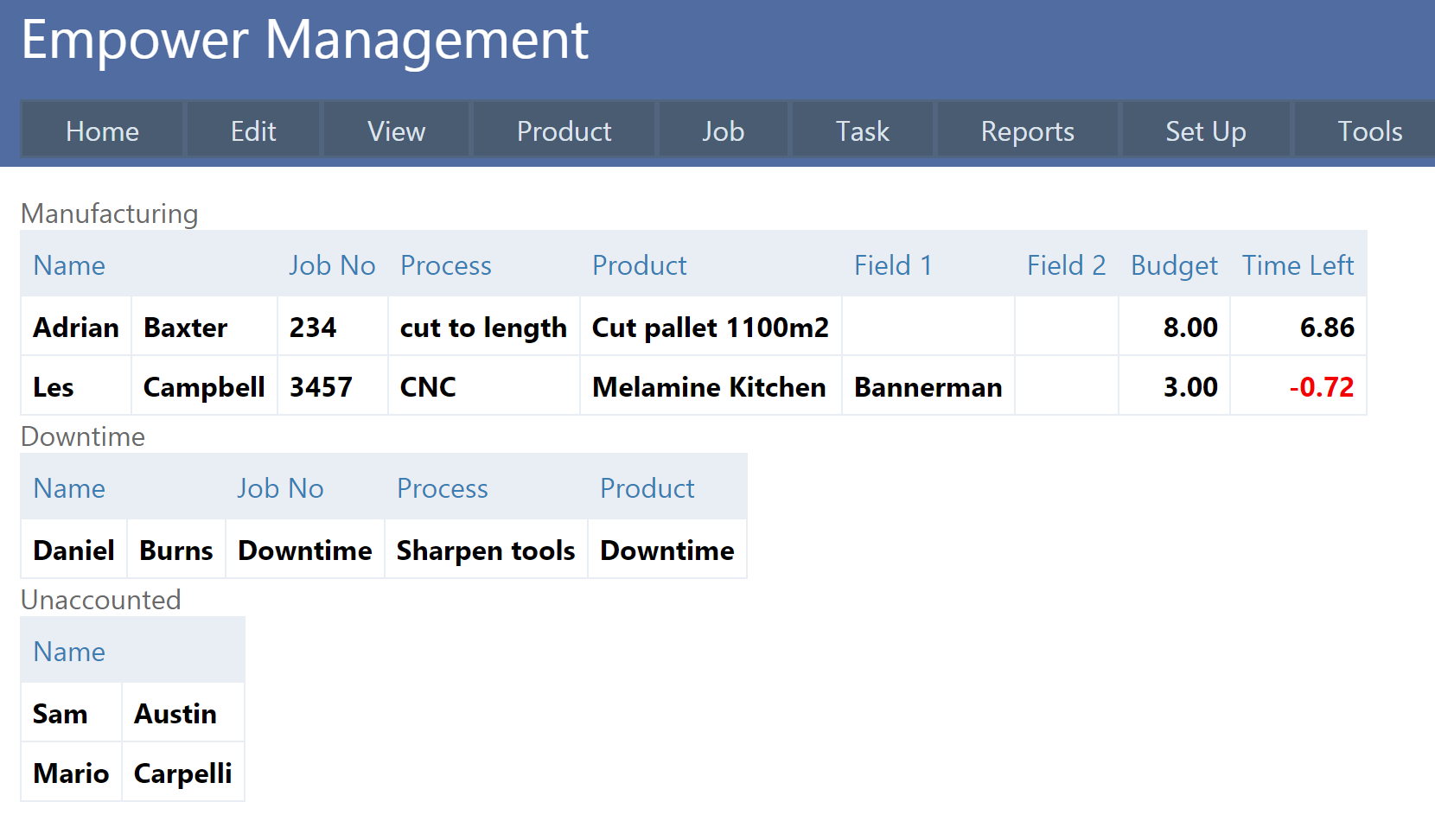
These big screens usually display a simplified version of the Who's Working on What page, that has been designed to be easily read from a distance.
To display this page, from the Main Menu select Task > Who Is Working On What > Who Is Working On What TV.
You should see a page similar to
Empower recommends altering the screen resolution of the display unit or TV so the page best fits into the size of the unit.
If there are more Employees that can fit on the page, it is possible to have the names scroll so that Employees will become visible.
To set this up, from the Main Menu select Tools > Settings. Click on General on the left hand side and then Advanced (see highlighted below).
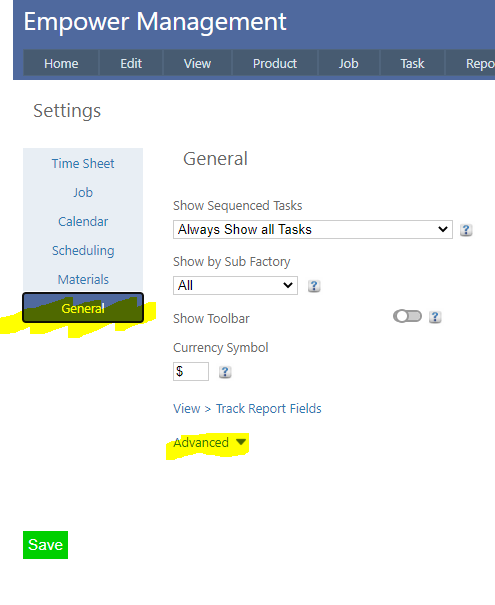
Under the Advanced section ensure that Allow Auto Scroll In TV is turned on.
See also
|